Ask the booth staff for the Android beta installation link and supported devices. Install the app, then sign in with your invited Google account.
02
Allow camera & location access
Allow camera and location permissions, and check that location services and your network connection are enabled. Follow the app instructions to check AR support.
03
Scan near the Gangnam Style sculpture
Follow the directions on this page to the Gangnam Style sculpture. Stop somewhere safe, scan the surroundings slowly, and wait for positioning and information to load.
Lower your phone and watch your surroundings while walking. Stop in a safe place before trying the demo.
FIVE PLACES, FIVE DISCOVERIES
Where will you scan, and what will you discover?
Start your app experience in front of the Gangnam Style sculpture. The guides below cover five use cases featured in the brochure.
Trinity Hospital · Brochure example image
01Local information
Trinity Hospital
What is the hospital in front of you like?
Discover a building with your camera, even if you do not know its name, and explore information about the building and its facilities.
Scan
Point your camera at Trinity Hospital.
Tap
Tap the hospital marker on the screen.
Explore
Check the building name, distance, and available hospital and facility information.
Discovery flowDiscover a building → Explore hospital & facility information
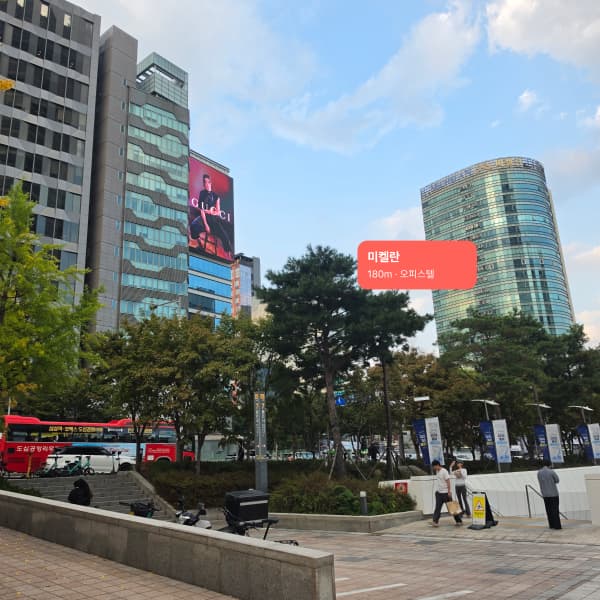
Michelan · Brochure example image
02Property exploration
Michelan
Explore a building of interest on site.
Discover the Michelan officetel and explore its building information alongside the surroundings in front of you.
Scan
Point your camera toward the Michelan building.
Tap
Tap the marker showing the officetel name.
Explore
Read the available building information and explore the actual location and surroundings.
Discovery flowDiscover a building → View officetel information → Explore on site
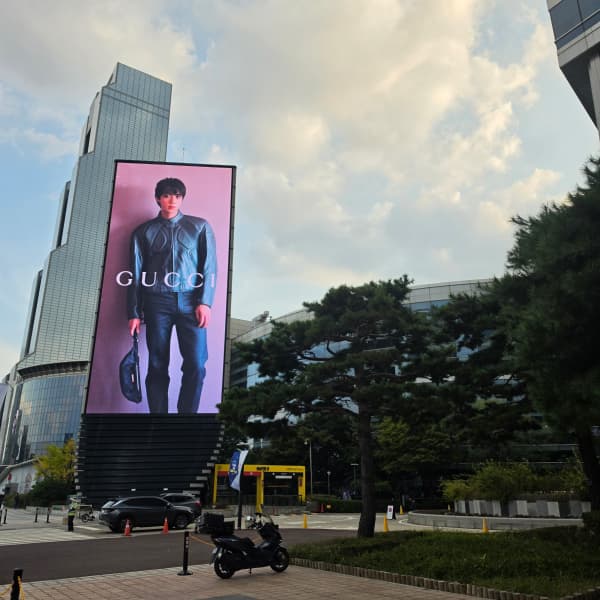
Outdoor advertising · Brochure example image
03Advertising
Outdoor advertising
Discover a brand in the ads you pass by.
Start with outdoor advertisements around COEX and explore brand content connected to that space.
Scan
Point your camera at the advertisement indicated by the staff.
Tap
Tap the content marker displayed at that location.
Explore
Explore linked videos and brand information about products or events.
Discovery flowDiscover an ad → Explore videos & brand information
Possible extensionThis experience could expand to saving advertising content that interests you.
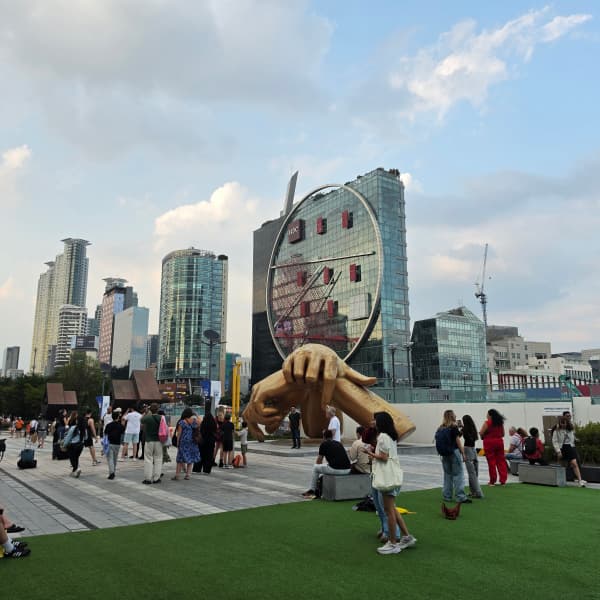
Gangnam Style sculpture · Brochure example image
04Social & content
Gangnam Style sculpture
Find new stories in the same place.
Discover content connected to the Gangnam Style sculpture, including records and videos.
Scan
Stand at the demo spot near the Gangnam Style sculpture.
Tap
Scan the surroundings and tap a content marker connected to the place.
Explore
Explore the available records, videos, and stories of the place.
Discovery flowDiscover a place → Explore stories through records & videos
Possible extensionThis experience could expand to writing, posting, and sharing your impressions from the site.
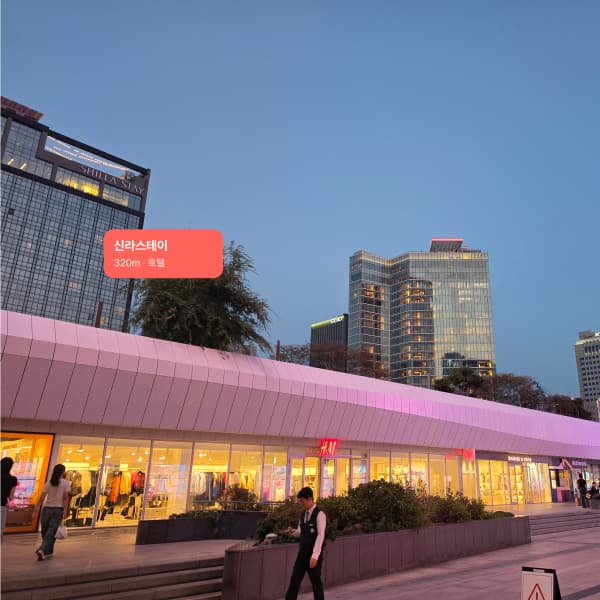
Shilla Stay · Brochure example image
05Travel & accommodation
Shilla Stay
Plan your next visit while you explore.
Discover Shilla Stay in front of you and explore accommodation and facility information to help plan your visit.
Scan
Point your camera at Shilla Stay.
Tap
Tap the marker showing the hotel name.
Explore
Check the available accommodation and facility information and browse the visitor guide.
Discovery flowDiscover a hotel → View accommodation & facility information → Plan a visit
Markers and distances in these images are illustrative examples. The actual screen depends on your location and available content. Ask staff which extended features, such as saving, writing, or posting content, are supported on site.
BEFORE YOU START
Before you try the demo.
Which devices and accounts can I use?+
The demo is for Android devices and requires an invited Google account. Your device must support camera- and location-based AR. Ask the booth staff about supported models and follow the app instructions to get ready.
Where should I try the app?+
The recommended demo spot is in front of the Gangnam Style sculpture. Watch the route video from the exhibition to the demo spot and follow the directions. Once you arrive, stop somewhere safe and scan slowly. The five locations below are brochure use cases; ask staff about the content and features actually available on site.
What if no markers appear?+
Check camera and location permissions, location services, and your network connection. Slowly scan the surroundings at the outdoor demo spot indicated by staff and wait for positioning and information to load. Markers appear for registered places where AR recognition is possible. Ask the booth staff if they still do not appear.
Why does the app need camera and location access?+
The camera recognizes nearby spaces and shows places on the screen. Location is used to find places around you. For details, read our Privacy Policy. For demo inquiries, contact contact@rainbowcp.net.
TRY SCANPANG DEMO
Your first discovery starts with the demo.
Ask the booth staff for an installation link. After installation, start your experience in front of the Gangnam Style sculpture.